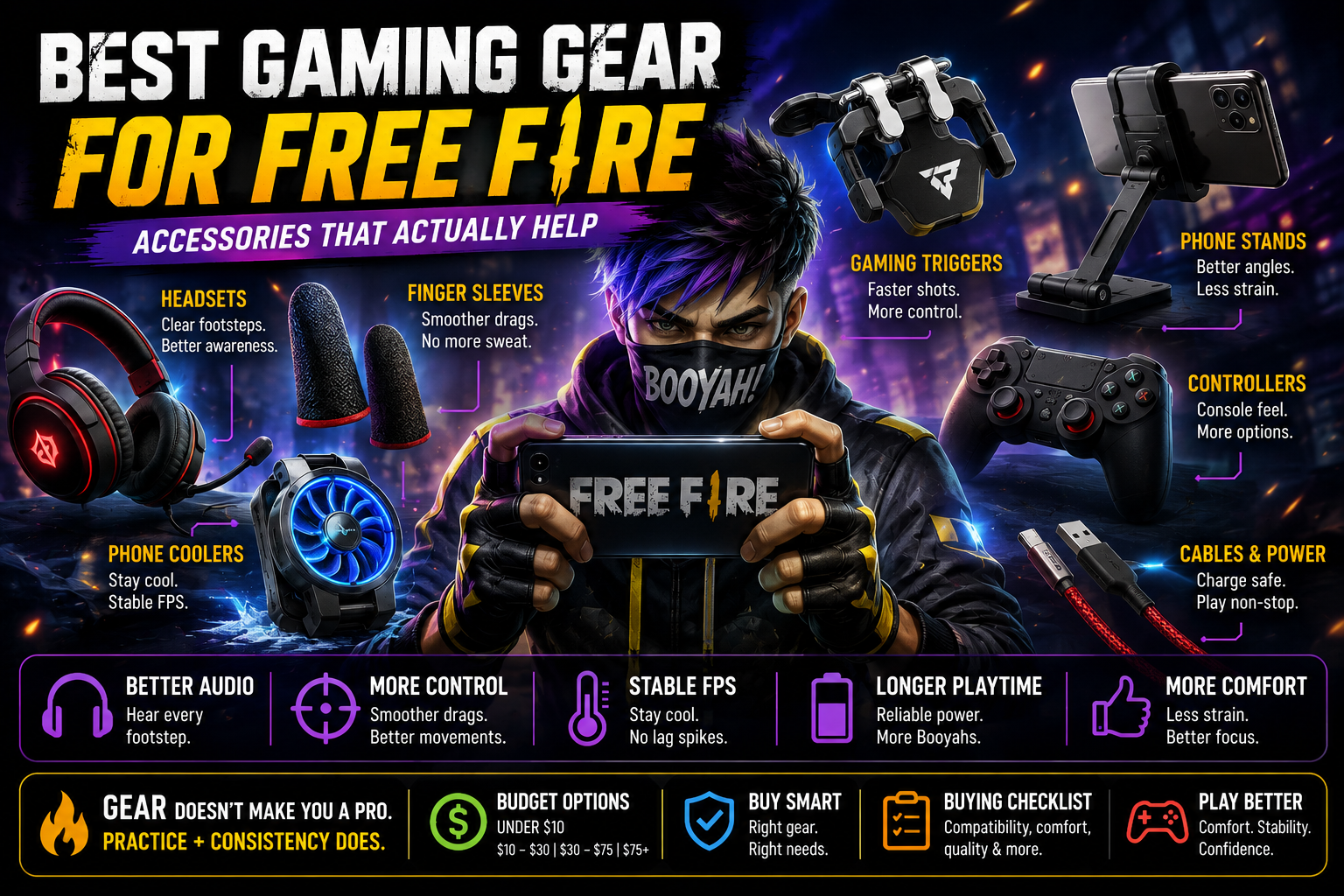
Walk into any conversation about mobile gaming gear and you'll hear wildly different opinions — some players swear by finger sleeves, others think they're a gimmick; some insist a gaming headset changes everything, others play fine on stock earphones. The truth is more practical than either extreme: certain gear solves specific, real problems, and the right accessories for you depend entirely on what you're actually struggling with. This guide breaks down the best gaming gear for Free Fire by what each category genuinely does, who benefits from it, and — just as importantly — when it's simply not necessary. No accessory here will hand you better aim or a Booyah; what good gear can do is remove small physical frictions that get in the way of playing consistently.
n
Most Important Upgrades
n
Before diving into categories, here's a practical priority overview. Where your setup needs the most help depends on your specific pain points, so treat "priority" as a general starting guide, not a rule.
n
| Accessory Best For Main Benefit Priority | |||
|---|---|---|---|
| Finger sleeves | Sweaty hands, screen friction | Smoother, more consistent drags | High (if sweat/friction is an issue) |
| Phone cooler | Long sessions, hot climates | Reduces thermal throttling | Medium–High |
| Gaming headset/earphones | Audio-reliant players | Clearer footsteps, directional cues | Medium–High |
| Phone stand/mount | Comfort during long play | Reduces hand fatigue, stable positioning | Medium |
| Charging cable (quality) | Anyone charging during play | Reliable power without interruptions | Medium |
| Gaming triggers | Claw/multi-finger players | Frees up screen space for other controls | Medium |
| Power bank | Mobile/outdoor play | Extends play sessions away from outlets | Low–Medium |
| Mobile controller | Players wanting console-style input | Alternative control scheme | Low (Free Fire is built around touch) |
| Desk/setup accessories | Home setup comfort | General ergonomics | Low |
n
Notice that the highest-priority items tend to solve physical comfort or consistency problems — not "performance boosts" in the way marketing often implies.
n
Gaming Headsets / Earphones
n
Audio matters more in Free Fire than many players initially realize, since footstep sound and directional cues often give away enemy position before you see them on screen.
n
What it does: Reproduces in-game audio, including footsteps, gunfire direction, and vehicle sounds, with more clarity and separation than a phone's built-in speaker.
n
Who benefits: Players who rely on audio cues to track nearby enemies, especially in Clash Squad or tight BR fights where sound often arrives before visual confirmation.
n
Main advantage: Better directional awareness — hearing where footsteps or gunfire come from can help you react faster than sight alone allows.
n
Main drawback: Wireless options can introduce slight audio latency, and cheaper units sometimes prioritize bass over the clarity needed to distinguish close footsteps from background noise.
n
Wired vs. wireless: Wired headsets generally offer more consistent, lower-latency audio, which matters for split-second reactions. Wireless options add convenience and freedom of movement but should be tested for noticeable delay before relying on them competitively.
n
Microphone communication matters if you play squad-based BR with voice coordination — a decent built-in mic makes calling out enemy positions clearer for your team.
n
Comfort matters for long sessions — over-ear designs tend to be more comfortable for extended play than in-ear designs for some players, though this is a personal preference.
n
When it's worth buying: If you frequently lose close-range fights to enemies who seemed to "know" where you were, or you play primarily on phone speaker and find it hard to place footstep direction, a decent headset is a reasonable investment.
n
When it's unnecessary: If you already play with earphones that let you clearly distinguish direction and volume of nearby sounds, upgrading further is unlikely to meaningfully change your gameplay.
n
A headset does not automatically give a competitive advantage — it simply makes audio information that's already in the game easier to use.
n
Finger Sleeves
n
Finger sleeves are thin, breathable covers worn over the fingers used for touch controls — one of the more genuinely useful low-cost accessories for mobile gaming.
n
What it does: Reduces friction and sweat contact between your fingers and the screen, which affects how smoothly your drags and taps register.
n
Who benefits: Players with naturally sweaty hands, players in hot or humid climates, and anyone doing extended sessions where finger moisture builds up over time.
n
Main advantage: More consistent drag shots — sweat and friction can cause your finger to "stick" momentarily or drag unevenly, which directly affects recoil control and one-tap consistency.
n
Main drawback: Some players find sleeves reduce screen sensitivity slightly, since the material sits between your finger and the screen; fit and material quality vary noticeably between different sleeves.
n
When they're worth buying: If you notice your drag shots become less consistent during longer sessions, or your fingers visibly sweat during play, finger sleeves are an inexpensive, low-risk accessory worth trying.
n
When they're unnecessary: If you already play comfortably without sweat or friction issues, finger sleeves won't add meaningful benefit — they solve a specific physical problem, not a general performance one.
n
Phone Cooling (Coolers/Fans)
n
Heat is one of the most overlooked performance factors in mobile gaming, and it connects directly to frame rate stability.
n
What it does: External phone coolers use small fans (and sometimes cooling plates) clipped to the back of your device to actively pull heat away during play.
n
Who benefits: Players doing long sessions, players in hot climates, and anyone whose device noticeably slows down or feels hot after 20–30 minutes of continuous play.
n
Thermal throttling connection: As covered in our FPS boost guide, devices automatically reduce performance when internal temperatures rise too high, which shows up as FPS drops during exactly the moments — intense fights — where you need stable performance most. A cooler can help delay or reduce this effect.
n
n
Main advantage: Can meaningfully extend how long your device maintains stable performance during continuous play, particularly noticeable in back-to-back Clash Squad rounds or long BR sessions.
n
Main drawback: Adds bulk to your device while playing, and quality varies significantly — cheaper coolers may offer minimal actual cooling benefit.
n
When it's worth buying: If your device visibly slows down or feels hot to the touch during typical 30+ minute sessions, especially in warm environments.
n
When it's unnecessary: If you play in short sessions, in cool environments, or on a device that already handles sustained load without noticeable heat buildup, a cooler adds cost without a real problem to solve.
n
Gaming Triggers
n
Gaming triggers are small clip-on buttons attached to the top edge of your phone, mapped to in-game actions like firing or aiming.
n
What it does: Moves specific inputs (commonly fire or scope) to physical buttons on the phone's edge, freeing up screen space that would otherwise be covered by your fingers.
n
Who benefits: Players who use a claw grip (multiple fingers positioned for simultaneous actions) and want to reduce how much of the screen their fingers obscure during fights.
n
Main advantage: Can improve screen visibility during close-range fights by moving one input off the touchscreen entirely, and some players find physical buttons offer more tactile, consistent feedback than a touch target.
n
Main drawback: Requires an adjustment period to build muscle memory, and cheaper triggers can have inconsistent actuation or wear out with heavy use.
n
When they're worth buying: If your fingers frequently obscure important screen area during fights, or you're already comfortable with a claw grip and want to refine it further.
n
Do not expect triggers to improve aim by themselves — they change how your inputs are physically arranged, not your underlying accuracy or reaction speed. Compatibility with your specific grip style matters more than the trigger's price point.
n
Phone Stands / Mounts
n
Simple, often overlooked, but genuinely useful for sustained comfort.
n
What it does: Holds your phone at a stable angle and height, removing the need to hold it with one hand (or awkwardly balance it) during play.
n
Who benefits: Players doing long sessions at a desk or table, and anyone who experiences hand or wrist fatigue from holding their phone for extended periods.
n
Main advantage: Reduces physical fatigue over long sessions, which indirectly supports more consistent aim, since a tired or cramped hand affects control precision.
n
Main drawback: Only useful in stationary setups — not practical for players who game on the move or in bed/couch positions without a flat surface.
n
When it's worth buying: If you regularly play multi-hour sessions at a desk and notice hand fatigue affecting your control late in sessions.
n
When it's unnecessary: If you primarily play in short sessions or in positions where a stand isn't practical to use anyway.
n
Charging Cables
n
An unglamorous but practical category — a poor-quality or damaged charging cable can genuinely disrupt a play session.
n
What it does: Delivers power to your device, which matters directly if you play while charging during longer sessions.
n
Who benefits: Anyone who plays for extended periods and needs to charge simultaneously to avoid running out of battery mid-match.
n
Main advantage: A reliable, well-made cable reduces the risk of connection drops or slow charging that can leave you scrambling for battery mid-session.
n
Main drawback: Higher-quality cables cost more, though the difference is usually modest compared to the frustration of an unreliable one failing during play.
n
Practical note: If you play while charging, be aware this adds heat on top of the heat already generated by active gameplay — worth keeping in mind alongside the cooling section above.
n
When it's worth buying: If your current cable is worn, loose-fitting, or charges unreliably.
n
When it's unnecessary: If your existing cable charges reliably and you rarely play for long stretches while plugged in.
n
Power Banks
n
Useful specifically for players who game away from a fixed power source.
n
What it does: Provides portable backup power, letting you extend play sessions without needing to be near a wall outlet.
n
Who benefits: Players who game on the move, during travel, or in settings without convenient charging access.
n
Main advantage: Removes battery anxiety during longer outdoor or mobile sessions.
n
Main drawback: Adds another item to carry, and capacity/quality varies significantly between models.
n
When it's worth buying: If you frequently play away from home or in situations where charging access is unreliable.
n
When it's unnecessary: If you mostly play at home near an outlet, a power bank solves a problem you don't actually have.
n
Gaming Mouse & Keyboard (For Compatible Setups)
n
Some players run Free Fire through compatible emulator or supported setups using mouse and keyboard rather than touch controls.
n
What it does: Provides an alternative input method for players using compatible setups, offering different precision characteristics than touch-based aiming.
n
Who benefits: Players already using a supported alternative setup who want more precise, desk-based control.
n
Main advantage: Some players find fine aim adjustments more precise with a mouse than with touch-based dragging.
n
Main drawback: Requires a compatible setup to begin with, and the feel is fundamentally different from the touch-based sensitivity techniques covered in our sensitivity guides — skills don't transfer directly between the two.
n
Free Fire Sensitivity Settings
n
Important note: Stick to legitimate, supported setups only. Avoid any modification, script, or injector that claims to give an unfair advantage over touch-based play — beyond being against fair play, these carry real account risk.
n
Basic Desk/Setup Accessories
n
Small setup improvements that support comfort and consistency over time rather than delivering a dramatic single change.
n
- Phone positioning: A consistent, comfortable angle reduces neck and wrist strain over long sessions.
- Charging cable placement: Routing your cable so it doesn't pull at an awkward angle prevents both wear on the cable and discomfort during play.
- Stand/mount: As covered above, supports consistent hand positioning.
- Lighting: Reasonable ambient lighting reduces eye strain during long sessions, particularly at night.
- Desk space: A clear, uncluttered area to rest your hands and elbows supports more relaxed, consistent hand positioning.
- Cable management: Keeping charging and audio cables tidy reduces the chance of accidental tugs disrupting your grip mid-fight.
n
None of these are exciting purchases, but together they remove small daily frictions that add up over long-term play.
n
Budget Levels
n
Under $10
n
Focus here on the highest-value, lowest-cost fixes: basic finger sleeves and a decent-quality charging cable. These solve genuinely common problems (sweat/friction, unreliable charging) without significant investment.
n
$10–$30
n
This range typically covers entry-level gaming earphones or headsets, basic phone stands, and simple clip-on coolers — solid comfort and consistency upgrades without a major spend.
n
$30–$75
n
Here you'll find better-built headsets with clearer audio separation, more effective phone coolers, and gaming triggers from more established brands with more consistent build quality.
n
$75+
n
This tier is genuinely optional for most players. It typically covers premium audio gear, more elaborate cooling setups, or full controller/mouse-keyboard setups for compatible configurations. Consider this range only if you've identified a specific, real need that lower-cost gear hasn't solved — not simply because higher price implies better performance.
n
Exact pricing varies by brand, region, and availability, so treat these as general budget bands rather than fixed figures.
n
What You Don't Need
n
- Extremely expensive accessories bought without a real, identified need — gear should solve a problem you actually have, not one you assume you might have.
- Random "FPS booster" hardware or software — no external accessory increases your device's actual processing power; if performance is the concern, software-side adjustments matter far more.
n
n
- Accessories making unrealistic performance promises — anything claiming guaranteed headshots, guaranteed rank improvement, or similar outcomes should be treated with skepticism regardless of price.
- Duplicate accessories — buying a second headset or cooler because a new model released rarely adds value if your current gear already solves the problem it was bought for.
n
Buying Checklist
n
Before purchasing any gaming accessory, check:
n
- Compatibility — confirm it works with your specific phone model and connection type.
- Comfort — especially for anything worn or held for long sessions (headsets, sleeves).
- Latency — particularly relevant for wireless audio, where delay can affect reaction timing.
- Durability — cheaper materials may not hold up to frequent, long-session use.
- Warranty — worth checking, especially for higher-cost items like coolers or headsets.
- Return policy — useful given how personal fit and comfort preferences are for gear like sleeves or headsets.
- Build quality — reviews and material descriptions can indicate whether an item will hold up over time.
- Actual use case — buy for the problem you have, not the setup you've seen someone else use.
- Budget — stay within a range that matches genuine need rather than perceived necessity.
n
Common Mistakes
n
- Buying expensive gear too early, before identifying what problem you're actually trying to solve.
- Copying another player's exact setup, without considering that their hand size, grip, environment, and device differ from yours.
- Ignoring comfort in favor of specs — an uncomfortable setup will hurt consistency even if it looks impressive on paper.
- Ignoring compatibility, leading to accessories that don't actually work well with your specific device.
- Buying based only on marketing claims, rather than genuine functional need.
- Expecting hardware to replace practice — no accessory substitutes for the crosshair placement, timing, and repetition covered in our sensitivity guides.
n
FAQ
n
What gaming gear is actually useful for Free Fire?
n
It depends on your specific pain points, but finger sleeves (for sweat/friction), a decent headset (for audio awareness), and a phone cooler (for long sessions) tend to solve the most common, genuine problems players report.
n
Are gaming finger sleeves worth it?
n
For players with sweaty hands or friction issues affecting drag consistency, yes — they're inexpensive and low-risk. For players without that specific issue, they add little benefit.
n
Does a gaming headset help in Free Fire?
n
It can improve directional audio awareness, particularly for footsteps and nearby gunfire, which may help you react faster to nearby threats. It doesn't provide a guaranteed competitive edge — it makes existing in-game audio information easier to use.
n
Is a phone cooler worth buying?
n
Worth considering if you play long sessions and notice your device heating up or slowing down over time. If your sessions are short or your device already handles heat well, it's not essential.
n
Do gaming triggers improve aim?
n
Not directly — they reposition inputs to free up screen visibility and can offer more tactile feedback, but accuracy still comes down to practice, sensitivity tuning, and technique.
n
Do expensive gaming accessories make you better?
n
No single accessory improves skill by itself. Good gear can remove physical frictions (sweat, heat, fatigue, poor visibility) that get in the way of consistent play, but it doesn't replace practice or game sense.
n
What should I buy first for mobile gaming?
n
Start with the lowest-cost items that solve a problem you've actually noticed — commonly finger sleeves or a reliable charging cable — before considering larger purchases like headsets or coolers.
n
Final Verdict
n
The best gaming gear for Free Fire isn't necessarily the most expensive setup — it's whatever removes the specific physical frictions actually getting in the way of your play. Comfort, stable device performance, clear audio, and reliable controls all support consistency far more than any single premium accessory does on its own. Start with low-cost fixes for problems you've genuinely noticed — sweaty fingers, unreliable charging, overheating during long sessions — and only move up in budget when you've confirmed a real, ongoing need. No accessory replaces practice, sensitivity tuning, or game sense; the right gear simply clears the way for those skills to show up consistently.