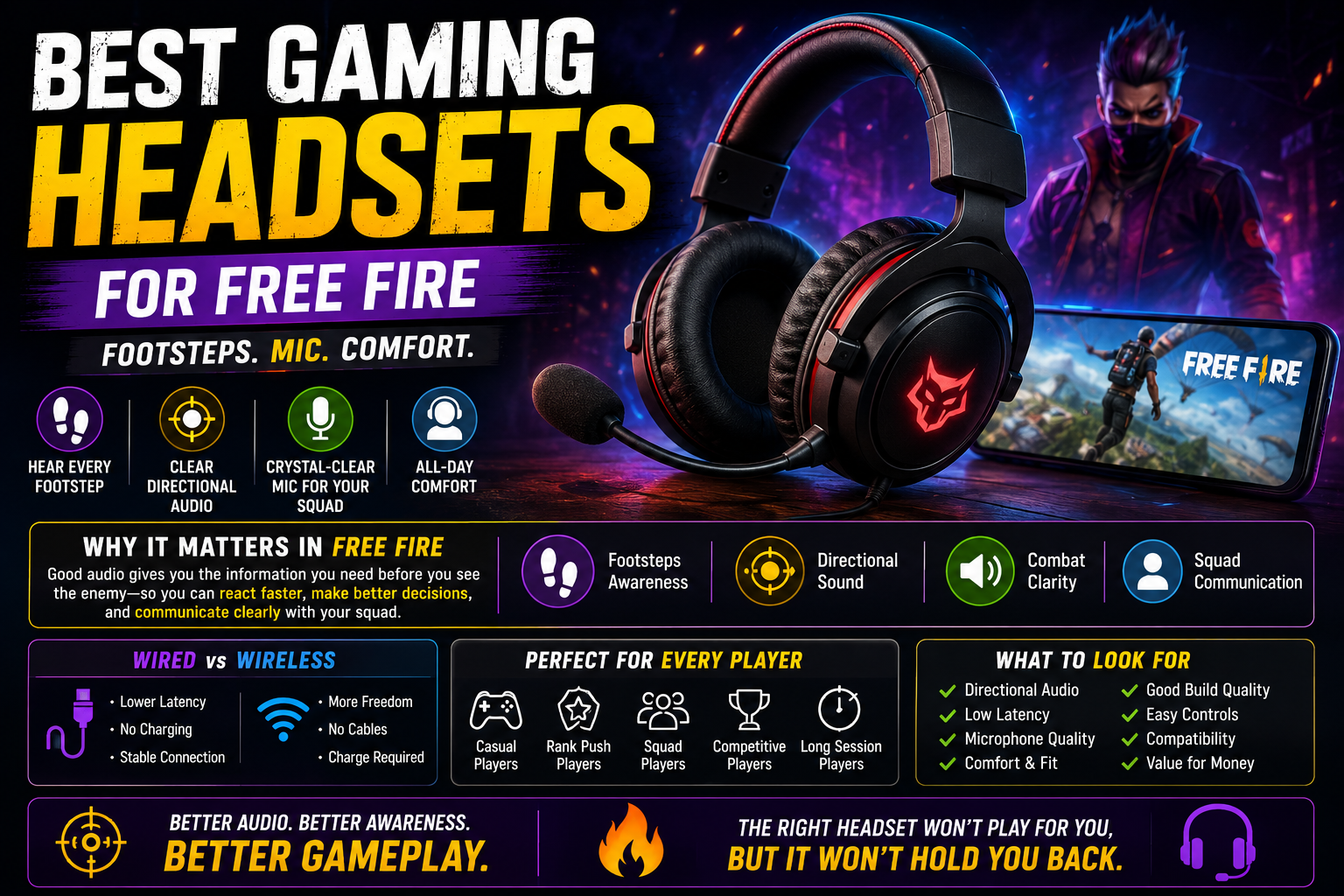
Enemies in Free Fire rarely announce themselves — footsteps, gunfire direction, and vehicle sounds usually reach you before anything shows up on screen. That makes audio one of the more underrated parts of a mobile gaming setup, but it's also one of the most oversold, with marketing that implies the right headset will suddenly transform your gameplay. The honest picture is more modest: a good gaming headset for Free Fire can make existing audio cues easier to hear and use, but it works alongside your skill and game sense, not instead of them. This guide covers what actually matters when choosing one — and when you might not need to buy anything at all.
n
Best Gaming Gear for Free Fire
n
Quick Answer: What Should You Look For?
n
| Feature | Why It Matters in Free Fire | Priority |
|---|---|---|
| Directional audio | Helps identify where footsteps/gunfire come from | High |
| Latency | Delayed audio can throw off reaction timing | High |
| Comfort | Determines whether you can wear it for full sessions | High |
| Microphone quality | Matters for squad communication in BR | Medium–High |
| Fit | Affects comfort and how much outside noise you hear | Medium |
| Connection type | Wired vs wireless affects latency and convenience | Medium |
| Durability | Matters for long-term daily use | Medium |
| Volume controls | Convenience for adjusting quickly mid-session | Low–Medium |
n
Treat this as a general checklist to weigh against your specific needs, not a strict ranking every player should follow identically.
n
Why Audio Matters in Free Fire
n
Sound carries real gameplay information that your eyes alone can't provide:
n
- Hearing footsteps often gives you the first warning that an enemy is nearby, sometimes before they're visible at all.
- Identifying direction — whether footsteps or gunfire are coming from your left, right, front, or behind — helps you turn and react appropriately instead of guessing.
- Detecting nearby movement, like an enemy repositioning during a fight, can inform whether you push, hold, or retreat.
- Understanding combat sounds — distinguishing your own gunfire from an enemy's, or recognizing a grenade pin sound — feeds directly into split-second decisions.
- Communicating with squadmates matters heavily in BR, where calling out enemy positions or coordinating rotations can decide a fight before it even starts.
n
It's worth being clear: audio information is useful, but hearing an enemy doesn't guarantee winning the fight that follows. Positioning, aim, and decision-making still do most of the work.
n
Best Headset Features for Free Fire
n
Directional Audio
n
Directional audio refers to how clearly a headset lets you distinguish left/right/front/back sound sources, rather than everything blending into a flat, centered mix. This matters in Free Fire because footstep direction is often your first and only clue about an approaching enemy before a fight starts. Headsets with clearer channel separation tend to make this easier to judge, though how well this works in practice depends on the specific model and build rather than the price tag alone.
n
Low Latency
n
Latency is the small delay between when a sound happens in-game and when you actually hear it. In fast-paced fights, a noticeable delay can throw off your sense of timing — you might react a fraction of a second later than the actual in-game event. Wired connections generally avoid the additional processing wireless audio introduces, but this isn't an absolute rule; wireless technology has improved significantly, and how much delay you'll notice depends heavily on the specific headset and connection method. If a wireless option feels sluggish or out of sync during testing, that's a more reliable signal than assuming wireless is inherently worse.
n
Microphone Quality
n
For squad-based BR, being clearly understood matters as much as hearing your teammates clearly. A microphone that picks up excessive background noise or sounds muffled can slow down communication exactly when quick callouts matter most — spotting an enemy or calling a rotation.
n
Comfort
n
Comfort is easy to underweight when comparing feature lists, but it directly affects how long you can actually play without distraction:
n
- Long sessions reveal comfort issues that aren't obvious in a quick five-minute test.
- Ear pressure from tight-fitting ear cups or in-ear designs can become genuinely uncomfortable over an hour or more.
- Headband comfort matters for over-ear designs, especially padding quality and adjustability.
- Weight — a heavier headset can cause fatigue during marathon sessions, even if it felt fine initially.
- Heat builds up under ear cups during long play, particularly in warm climates or rooms without much airflow.
- Glasses compatibility is worth checking if you wear glasses, since some ear cup designs press uncomfortably against the frames.
n
Fit and Isolation
n
Isolation refers to how much a headset blocks outside noise. This comes with a real trade-off: more isolation helps you focus purely on in-game audio without distraction, but it also reduces your awareness of what's happening around you physically — which matters if you're gaming somewhere you need to stay alert to your surroundings. Neither more nor less isolation is inherently correct; it depends on your environment and personal preference.
n
Wired vs Wireless Gaming Headsets
n
| Feature | Wired | Wireless |
|---|---|---|
| Latency | Generally more consistent, no wireless processing delay | Varies by device and technology; test before relying on it competitively |
| Battery | No charging needed | Requires regular charging; dead battery means no audio |
| Convenience | Cable can restrict movement | More freedom of movement during play |
| Cable management | Requires managing a physical cable | No cable to manage |
| Compatibility | Depends on your phone's port (or adapter) | Depends on Bluetooth support and pairing reliability |
| Charging | N/A | Adds a device to remember to charge |
| Long-session practicality | No battery concerns, but cable can catch on movement | Comfortable freedom, but battery life becomes a factor in very long sessions |
n
Neither option is universally better — wired tends to offer more predictable latency, while wireless offers more freedom of movement. The right choice depends on your play environment, your phone's connectivity, and how much you value cable-free convenience versus consistent audio timing.
n
Wired Earphones vs Gaming Headsets
n
Not every player needs a full over-ear gaming headset — simple wired earphones are genuinely enough for many people.
n
- Portability — earphones are easier to carry and use on the go compared to bulkier over-ear headsets.
- Comfort — some players find in-ear designs more comfortable for their ear shape, while others prefer the more evenly distributed pressure of over-ear designs. This is genuinely personal preference.
- Microphone — many wired earphones include a basic in-line microphone that's perfectly adequate for casual squad communication, even without a dedicated gaming headset.
- Sound separation — dedicated gaming headsets often invest more in directional clarity, but decent earphones can still provide usable footstep awareness.
- Price — earphones are typically the more affordable option and can be a completely reasonable choice.
- Convenience — smaller and easier to store, transport, or quickly put on for a short session.
n
If your current earphones already let you clearly tell where footsteps are coming from and communicate clearly with your squad, upgrading to a full headset may not add meaningful benefit for your specific use case.
n
Bluetooth vs Wired Audio for Mobile Gaming
n
- Bluetooth latency varies significantly between devices and headset models — some pairings feel nearly instant, others introduce a noticeable, distracting delay. There's no single figure that applies across all Bluetooth audio.
- Device compatibility varies — how well your specific phone handles Bluetooth audio processing can differ even between similarly priced devices.
- Codec and device support can affect experience — without getting into specific technical claims, it's worth knowing that not all Bluetooth connections handle audio processing identically, which is part of why the same headset can feel different across two phones.
- Wired connections can avoid the extra processing step wireless audio requires, which is why some competitively-minded players default to wired setups — though this doesn't mean every wireless setup will feel laggy in practice.
n
If you're considering Bluetooth for competitive play, it's worth actually testing your specific phone-and-headset combination before assuming it'll feel responsive enough.
n
Microphone: What Actually Matters?
n
- Voice clarity — being understood clearly by your squad matters more than technical microphone specifications you can't easily verify as a buyer.
- Background noise handling varies significantly between built-in headset mics, detachable boom mics, and your phone's own microphone — noisy environments expose weaker microphones quickly.
- Mic positioning — a boom mic positioned closer to your mouth generally picks up your voice more clearly relative to background noise than a mic built into the earpiece itself.
- Consistent communication matters more than any single spec — if your squad can reliably understand your callouts without repeating themselves, the microphone is doing its job.
n
Built-in headset microphones are convenient and generally adequate for casual squad play. Detachable microphones (where available) often offer clearer voice pickup for players who communicate frequently. Your phone's own microphone, used with simple wired earphones, can be genuinely sufficient for many players — it doesn't have to be a dealbreaker if you're not investing in a full headset.
n
Comfort for Long Free Fire Sessions
n
Comfort quietly matters more than most feature lists suggest, since discomfort becomes distracting exactly when you need to focus.
n
- Weight adds up over multi-hour sessions — even a small difference becomes noticeable after an hour or more.
- Ear-cup pressure that feels fine initially can become uncomfortable well into a longer session.
- Clamping force (how tightly the headband grips your head) varies by design — too tight causes discomfort, too loose can affect fit and sound isolation.
- Breathable materials in ear cups help manage heat buildup during longer play, particularly relevant if you play in a warm room.
- Heat under ear cups compounds with a warm environment, so ventilation matters more than it might seem from a spec sheet.
- Glasses compatibility is worth testing directly if you wear them, since fit varies by both headset design and glasses frame shape.
- Adjustable headbands help achieve a comfortable, secure fit across different head sizes.
n
Headset Types for Different Players
n
| Player Type | Recommended Headset Type | Main Reason |
|---|---|---|
| Casual player | Simple wired earphones | Adequate footstep awareness without unnecessary cost |
| Ranked player | Wired or low-latency wireless headset | Consistent timing matters more with competitive stakes |
| Squad player | Headset with clear, reliable microphone | Communication quality directly affects team coordination |
| Competitive-focused player | Wired headset, tested for directional clarity | Minimizes latency uncertainty during high-pressure fights |
| Long-session player | Comfort-prioritized over-ear headset | Reduces fatigue and heat buildup over extended play |
| Mobile-only player | Compact wireless earphones or headset | Portability matters more than a bulkier fixed setup |
n
These are general starting points — your actual preference for fit, sound, and convenience should guide the final decision more than any category label.
n
Budget Headset Buying Guide
n
Entry-Level
n
Prioritize basic comfort and functional directional audio over extra features. A reliable, comfortable fit with clear enough sound to distinguish footstep direction covers most of what you actually need at this level.
n
Mid-Range
n
Additional features like better build quality, more adjustable fit, improved microphone clarity, and more consistent wireless latency (if going wireless) may become worthwhile here, depending on how much you play and what specific issues you've run into with cheaper gear.
n
Premium
n
Premium pricing may be justified for players with very specific needs — extended comfort for marathon sessions, more refined microphone quality for frequent team communication, or more consistent low-latency wireless performance. It's not automatically justified by price alone; the improvement should match a real need you have, not just a bigger number on the box.
n
A higher price does not automatically mean better sound or lower latency — actual performance varies by specific model and build, which is worth verifying through recent user feedback rather than price alone.
n
Common Gaming Headset Problems
n
- Audio delay — often related to Bluetooth pairing or device-specific processing; try a wired connection to compare if the issue seems significant.
- One side not working — check the cable connection point or, for wireless, confirm both sides are properly paired and charged.
- Microphone not detected — verify the correct input is selected in your phone's settings, and check that any physical mute switch isn't engaged.
- Low volume — check both the headset's own volume control (if present) and your phone's overall media volume, since these are separate.
- Uncomfortable fit — often improved by adjusting the headband or ear cup angle; persistent discomfort after adjustment usually points to a fit mismatch worth addressing before longer use.
- Cable problems — inspect for visible wear near the connector, a common failure point on wired headsets.
- Bluetooth connection issues — try re-pairing from scratch, and confirm your phone's Bluetooth is updated if the option is available.
n
Free Fire Audio Settings to Check
n
- Keep important sound effects audible — avoid setting in-game sound so low that footsteps and gunfire become hard to distinguish from background music.
- Avoid excessively low volume overall, since quiet audio makes directional judgment harder regardless of headset quality.
- Check your device's media volume, separate from any in-game volume slider, since a low system volume limits everything regardless of in-game settings.
- Check mute settings on both your headset and phone before a match, particularly after switching between apps.
- Test audio before ranked matches, especially after connecting a new headset or updating your phone's software, to catch any issues before they cost you a match.
n
How to Test a Headset Before Buying
n
- Check compatibility with your specific phone model and available ports/Bluetooth version.
- Check connection type — confirm whether it's wired, Bluetooth, or offers both.
- Test directional audio if possible — in-store or with a return-friendly purchase, listen for clear left/right/front/back separation.
- Test microphone quality by recording a short clip in a normal environment and listening back.
- Check comfort by wearing it for at least 10–15 minutes continuously, not just a quick fit check.
- Check the return policy in case fit or performance doesn't match your expectations once tested properly.
- Read recent user feedback rather than only relying on marketing descriptions.
- Verify the warranty terms, particularly for wireless models with batteries that degrade over time.
- Consider your actual use case — casual play, competitive ranked, squad communication — rather than buying based on features you won't use.
n
Headset Buying Mistakes
n
- Buying based only on RGB lighting or appearance, which has no effect on actual audio performance.
- Buying without checking compatibility with your specific phone's connection options.
- Ignoring comfort in favor of spec sheets, then finding the headset unusable for longer sessions.
- Ignoring microphone quality if you regularly communicate with a squad.
- Assuming expensive automatically means better — actual performance depends on the specific model, not just price.
- Ignoring latency when choosing wireless, without actually testing how it feels in your own setup.
- Buying a headset with features you never use, paying for capabilities that don't match your actual playstyle.
n
Do You Actually Need a Gaming Headset?
n
Not necessarily. Whether a dedicated gaming headset is worth buying depends entirely on what you're currently using and what problems, if any, you're actually experiencing:
n
- Normal earphones are genuinely sufficient for many players, particularly if you already hear footsteps and communicate clearly with your squad.
- Phone speakers work for casual, low-stakes play, though they typically make directional audio and quiet footsteps harder to distinguish.
- Existing headphones you already own, even if not marketed specifically for gaming, may already meet your needs without any new purchase.
n
The goal of this guide is to help you make an informed decision if you do need or want an upgrade — not to convince you that a purchase is required. If your current setup already lets you hear what matters and communicate clearly, there's no strong reason to change it.
n
FAQ
n
What is the best gaming headset for Free Fire?
n
There's no single best product for every player — the right choice depends on your phone's compatibility, your budget, and whether you prioritize wired consistency or wireless convenience. Focus on clear directional audio, comfortable fit, and (if you play squads) reliable microphone quality rather than chasing a specific brand.
n
Are wired headsets better for Free Fire?
n
Wired connections generally offer more consistent, predictable latency since they avoid additional wireless audio processing. That said, well-designed wireless headsets can perform very well too — it's worth testing your specific setup rather than assuming wired is always necessary.
n
Are Bluetooth headsets good for Free Fire?
n
They can be, but latency varies significantly between devices and models. If competitive timing matters to you, test your specific phone-and-headset pairing before relying on it, since some combinations feel noticeably more responsive than others.
n
Do gaming headsets help with footsteps?
n
Clearer directional audio can make it easier to judge where footsteps are coming from compared to a phone's built-in speaker. It improves your ability to use audio information that's already present in the game — it doesn't create new information.
n
Does a gaming headset improve aim?
n
No, not directly. A headset can improve your awareness of nearby enemies through audio cues, which may help you react earlier — but your actual aim and reaction skill come from practice and technique, not the headset itself.
n
Free Fire Sensitivity Settings
n
Is a microphone important for Free Fire?
n
It matters most if you regularly play squad-based BR and rely on voice communication for callouts and coordination. For solo or casual play, it's far less essential.
n
Are expensive gaming headsets worth it?
n
Only if the added cost addresses a specific need you actually have — better comfort for long sessions, more reliable low-latency wireless performance, or clearer microphone quality for frequent communication. Price alone doesn't guarantee better sound.
n
Can normal earphones work for Free Fire?
n
Yes, for many players. If your current earphones let you clearly judge footstep direction and communicate with your squad, there's no strong need to upgrade to a dedicated gaming headset.
n
Final Verdict
n
Choosing the right headset for Free Fire comes down to a practical hierarchy: start with compatibility (does it actually work well with your phone), then a low-latency connection (wired or well-tested wireless), clear directional audio for footsteps and gunfire, decent microphone quality if you play squads, genuine comfort for your session length, reasonable durability, and finally a price that matches your actual needs rather than the most expensive option available. Heat and long-session comfort connect closely with overall device performance during extended play.
n
n
The best headset isn't a specific product — it's whichever option actually fits your phone, budget, and how you play, since even the highest-rated headset won't help if it's uncomfortable, incompatible, or solving a problem you didn't have in the first place.