If you've ever felt your finger "catch" or drag unevenly on your screen mid-fight, you've run into the exact problem finger sleeves are designed to address. They're one of the cheapest, most talked-about accessories in mobile gaming, but opinions are split — some players wouldn't play without them, others don't notice a difference at all. This guide looks specifically at what finger sleeves for Free Fire actually do, who tends to benefit, and how to choose a pair that fits your hand and screen properly, without pretending they're a shortcut to better aim.
n
Best Gaming Gear for Free Fire
n
Quick Answer: Are Finger Sleeves Worth It?
n
For players dealing with sweaty fingers or inconsistent screen friction, finger sleeves are a low-cost accessory genuinely worth trying. For players who already play comfortably without those issues, they're unlikely to add much.
n
- Who benefits: players with naturally sweaty hands, players in hot or humid climates, and anyone who notices their drag shots becoming less consistent during longer sessions.
- Who doesn't need them: players who already have smooth, consistent screen contact and no sweat-related friction issues.
- What they solve: inconsistent finger movement caused by sweat, natural skin friction, or a "sticky" feeling against the screen.
- What they can't solve: poor sensitivity settings, lack of practice, weak crosshair placement, or general aim inconsistency unrelated to touch feel.
n
Think of finger sleeves as a comfort and consistency tool, not a performance upgrade in themselves.
n
What Are Gaming Finger Sleeves?
n
Gaming finger sleeves are thin fabric covers, usually made from a conductive or semi-conductive material, worn over one or two fingers used for touchscreen controls.
n
- Material: typically a thin, stretchy fabric blend designed to stay compatible with capacitive touchscreens, so your taps and drags still register normally.
- Fit: they slide on like a small fabric tube, sitting snugly over the fingertip and first joint.
- Touchscreen interaction: the fabric sits between your skin and the screen, changing the surface your finger actually glides across, rather than skin-on-glass contact.
- Why gamers use them: primarily to manage sweat and create a more consistent glide across the screen during fast, repeated movements like drag shots.
n
The concept is simple — a different, more consistent surface between your finger and the screen than bare skin provides, particularly under sweat or heat.
n
Why Finger Sleeves Can Help in Free Fire
n
Less Sweat
n
Sweaty fingers change how your skin interacts with the screen — sometimes causing your finger to "stick" briefly before releasing, other times causing unpredictable slipping. Since sweat production increases naturally during long, intense sessions (and in hot or humid environments), this becomes more noticeable the longer you play. A sleeve creates a barrier that keeps direct skin-to-screen sweat contact out of the equation.
n
More Consistent Screen Movement
n
Reduced or more predictable friction can make your finger glide feel more consistent from one movement to the next, which matters for the kind of small, repeated motions Free Fire's controls demand. For some players, this simply feels more predictable session to session compared to bare-finger contact, which can vary depending on humidity, hand temperature, and how long they've been playing.
n
Drag Shot Comfort
n
Drag shots rely on a smooth, controlled finger movement across the screen to counter recoil while firing. A more consistent glide can make that motion feel more comfortable and repeatable — but this supports your existing technique rather than creating better aim on its own. The actual skill of drag-shot timing and crosshair placement still comes from practice.
n
Long Gaming Sessions
n
Over an hour or more, bare-finger friction can become mildly uncomfortable, especially as sweat builds up. A sleeve can reduce this friction-related fatigue, making extended sessions feel more comfortable physically, separate from any gameplay effect.
n
Finger Sleeves vs Bare Fingers
n
| Factor | Finger Sleeves | Bare Fingers |
|---|---|---|
| Sweat | Reduces direct skin-to-screen sweat contact | Sweat builds up directly on the screen surface |
| Friction | More consistent glide for many players | Can vary with heat, humidity, and session length |
| Consistency | Often more predictable session to session | Can feel different depending on hand condition |
| Comfort | Reduces friction-related fatigue over long sessions | Some players prefer the direct tactile feedback |
| Setup simplicity | Requires wearing and adjusting fit | No setup — always available |
| Cost | Small, ongoing cost as sleeves wear out | No cost |
| Personal preference | Some players dislike the reduced tactile feel | Some players strongly prefer direct skin contact |
n
Neither option is objectively superior — it comes down to whether sweat or friction is a genuine problem for you, and whether you personally prefer the feel of a sleeve over bare skin.
n
Best Finger Sleeve Materials
n
Common finger sleeve materials share a few general characteristics, though exact composition varies by brand and product:
n
- Conductive fabric — blended with conductive fibers so the sleeve doesn't block your touchscreen's ability to register your finger.
- Breathable fabric — helps manage heat and moisture buildup during longer sessions, reducing the sleeve itself from becoming uncomfortably damp.
- Thin knitted materials — generally preferred over thicker fabrics, since bulk can interfere with the fine-motion feel required for precise touchscreen control.
- Blended fabrics — many products combine multiple fiber types to balance conductivity, breathability, and durability.
n
Rather than chasing specific technical claims, prioritize:
n
- Touchscreen responsiveness — the sleeve should register taps and drags reliably without noticeable lag or missed inputs.
- Comfortable fit — snug without feeling restrictive.
- Breathability — matters more the longer your typical sessions run.
- Durability — thin fabrics wear out with repeated use, so expect to replace sleeves periodically.
- Smooth movement — the actual glide feel across your specific screen or screen protector.
n
How to Choose the Right Finger Sleeve Size
n
- Finger circumference varies significantly between players, which is why most sleeves come in multiple sizes rather than one-size-fits-all.
- Tight vs. loose fit — too tight can restrict natural finger movement and feel uncomfortable over time; too loose risks slipping during fast motions.
- Slipping during intense drag shots is a common sign the sleeve is too loose for your finger size.
- Restricted movement or a pinching feeling usually signals a sleeve that's too tight.
- Comfort should be immediately noticeable — a well-fitted sleeve shouldn't feel like it's actively working against your finger.
n
Since exact sizing varies by brand and manufacturing, always check the specific manufacturer's sizing chart rather than assuming sizes are standardized across products.
n
One Finger vs Two Finger Sleeves
n
One Finger
n
Suits players who primarily use a single finger for aiming/firing actions and want a minimal, lightweight setup. Simpler to put on and adjust, and often preferred by players who feel two sleeves add unnecessary bulk to their grip.
n
Two Fingers
n
Suits players using a multi-finger control style — for example, separate fingers for movement and firing, or players using a four-finger claw-style grip who want consistent glide on more than one contact point. This can help maintain consistency across both hands' actions during fast-paced fights, though it also means twice the fit and comfort considerations to get right.
n
The right choice depends entirely on your existing control style — there's no universal answer, and testing both is the only reliable way to know which suits you.
n
Finger Sleeves for Drag Shots
n
Drag shots rely on a controlled, repeatable finger motion across the screen — typically a short upward or diagonal movement used to counter recoil while firing. At a high level, consistent execution depends on:
n
- Screen friction — how predictably your finger glides across the screen surface during the motion.
- Consistent movement — repeating a similar drag distance and speed shot after shot.
- Finger glide — the actual physical feel of your finger moving across the screen, which a sleeve can make more uniform compared to bare skin under varying sweat/heat conditions.
- Sensitivity interaction — your drag shot's effectiveness also depends heavily on your Red Dot and General sensitivity settings, which determine how much on-screen movement a given physical drag produces.
n
Free Fire Sensitivity Settings
n
It's worth being direct here: finger sleeves do not replace proper sensitivity tuning or practice. They can make your physical movement feel more consistent, but the underlying skill — knowing how far to drag, when to fire, and where your crosshair needs to be — still comes from repetition and correctly tuned settings.
n
Finger Sleeves and Screen Protectors
n
Your screen protector significantly affects how any sleeve actually feels in practice, since the sleeve is gliding across the protector's surface, not the phone's glass directly.
n
- Glass protectors typically offer a smoother, more consistent surface, which can make sleeve glide feel more predictable.
- Matte protectors intentionally add texture to reduce glare and fingerprints, which changes the friction feel compared to glass — some players prefer this, others find it adds resistance to fast drags.
- Fingerprints and oil buildup on any protector type can gradually change how smooth the surface feels, regardless of sleeve quality.
- Surface friction overall is a combination of your sleeve material and whatever protector (or bare glass) sits beneath it — the same sleeve can feel noticeably different across two different protectors.
- Compatibility isn't usually a technical issue (sleeves work with essentially any touchscreen), but the feel will vary, so it's worth testing your actual setup rather than assuming a sleeve reviewed on a different screen type will feel identical on yours.
n
Finger Sleeves for Sweaty Hands
n
- Keep sleeves dry between sessions — a damp sleeve loses much of its friction-reducing benefit and can feel unpleasant to wear.
- Clean the screen regularly, since oil and residue buildup affects touch feel independently of whether you're using a sleeve.
- Replace worn sleeves once the fabric thins or develops holes, since worn material behaves less predictably.
- Avoid excessively tight sleeves, which can actually increase discomfort and sweat buildup underneath rather than reducing it.
- Take breaks during long sessions to let both your hands and the sleeve itself air out, particularly in hot or humid conditions.
n
How to Clean Finger Sleeves
n
Cleaning instructions vary by material and manufacturer, so check any care guidance included with your specific product first. General safe practices typically include:
n
- Hand-washing gently with mild soap and water, rather than harsh detergents.
- Allowing sleeves to air dry fully before storing or reusing them, since trapped moisture can affect both comfort and material longevity.
- Avoiding fabric softeners or strong chemical cleaners, which can affect the conductive properties of the material.
- Replacing sleeves periodically rather than expecting indefinite reuse, since fabric naturally wears down with repeated washing and use.
n
Common Finger Sleeve Problems
n
| Problem | Possible Cause | What to Try |
|---|---|---|
| Screen does not respond properly | Sleeve material degraded, or poor conductive quality | Test with a fresh sleeve; if the issue persists, try without a sleeve to isolate the cause |
| Sleeve feels too tight | Wrong size for your finger circumference | Check the manufacturer's sizing chart and try a larger size |
| Sleeve slips during play | Too loose, or worn/stretched fabric | Try a smaller size or replace a worn sleeve |
| Movement feels too fast | Sleeve reducing friction more than you're used to | Adjust in-game sensitivity gradually rather than removing the sleeve entirely, if you otherwise like the feel |
| Movement feels inconsistent | Sweat buildup inside the sleeve, or uneven wear | Ensure the sleeve is dry before use; replace if wear is uneven |
| Sleeve gets dirty quickly | Regular use without cleaning, oil/sweat buildup | Clean regularly following care guidance and rotate between multiple sleeves if you play often |
n
Finger Sleeves vs Other Gaming Accessories
n
Different accessories solve different problems, and it's worth understanding where finger sleeves fit relative to other common options:
n
- Gaming triggers address screen visibility and physical button feedback by moving an input off the touchscreen — a different problem than sweat or friction.
- Phone coolers address heat and thermal throttling affecting frame rate — unrelated to touch feel.
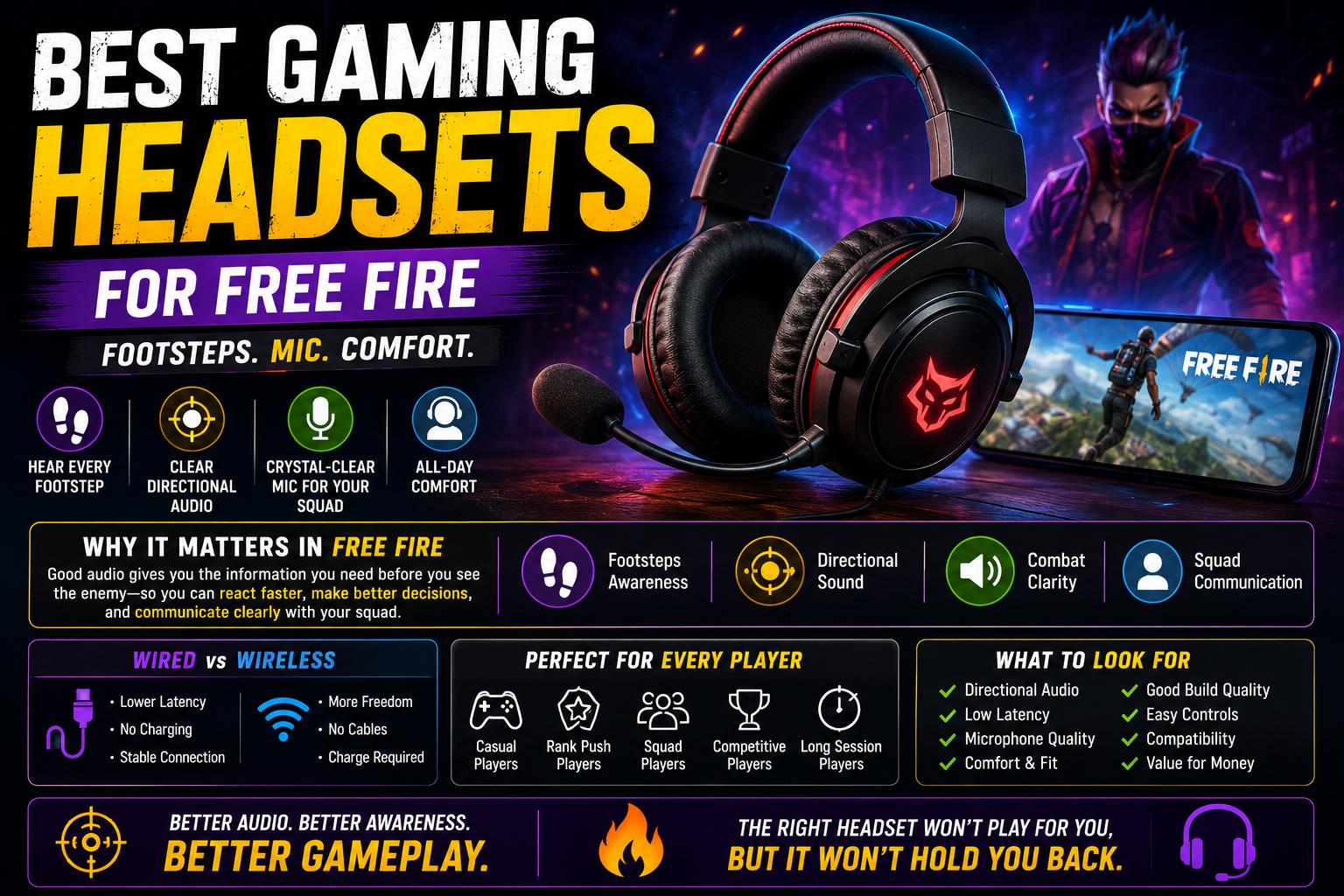
- Gaming headsets address audio awareness — footsteps, directional sound — which has nothing to do with finger movement at all.
n
Best Gaming Headsets for Free Fire
n
Finger sleeves specifically address touch consistency and sweat-related friction. If your main issue is heat, audio, or screen visibility rather than finger glide, a different accessory from our broader gaming gear guide is likely a better fit.
n
Best Gaming Gear for Free Fire
n
How to Test Finger Sleeves Properly
n
- Test bare finger first in Training mode so you have a clear baseline to compare against.
- Record your current sensitivity settings, so you know your starting point.
- Put on the sleeve and give it a minute to settle into a natural fit.
- Test the same movement — general aiming and turning — you tested bare-fingered.
- Practice drag shots specifically, since this is where most players notice a difference.
- Test during an actual match, not just Training, since real fights add pressure that reveals whether the feel actually holds up.
- Check comfort after a longer session, since short tests don't reveal heat or fit issues that appear over time.
- Keep using it only if it genuinely feels better — there's no reason to persist with an accessory that doesn't clearly improve your comfort or consistency.
n
It's worth testing one change at a time: don't adjust your sensitivity and start using a sleeve simultaneously, since you won't be able to tell which change actually caused any difference you notice.
n
Common Buying Mistakes
n
- Buying the wrong size without checking a proper sizing chart first.
- Choosing only based on appearance rather than material quality or fit.
- Ignoring touchscreen compatibility — while rare as an issue, cheaply made sleeves can occasionally have inconsistent conductive quality.
- Buying overly thick sleeves, which can dull the fine touch sensitivity needed for precise movements.
- Ignoring breathability, especially if you play long sessions or live in a hot climate.
- Assuming expensive automatically means better — actual glide feel depends on material and fit matching your hand and screen, not price alone.
- Buying too many before testing one pair — confirm a single sleeve actually works well for you before committing to a larger purchase.
n
Who Should Buy Finger Sleeves?
n
| Player Type | Worth Trying? | Why |
|---|---|---|
| Sweaty hands | Yes | Directly addresses the friction and stickiness sweat causes |
| Frequent drag-shot players | Yes | More consistent glide can support repeated drag motions |
| Long-session players | Worth considering | Reduces friction-related fatigue over extended play |
| Casual players | Optional | Benefit is smaller if session length and intensity are lower |
| Players who dislike the feel | No | Personal preference matters — forcing an uncomfortable accessory helps no one |
| Players already comfortable bare-fingered | Not necessary | If there's no existing friction/sweat problem, there's little to gain |
n
FAQ
n
Do finger sleeves improve aim in Free Fire?
n
Not directly. They can make your finger's movement across the screen feel more consistent, which may support existing technique, but actual aim improvement still comes from sensitivity tuning, crosshair placement, and practice.
n
Are finger sleeves good for drag shots?
n
They can help by providing a more consistent glide during the drag motion, particularly if sweat or friction was previously causing inconsistency. They don't replace the underlying skill of drag-shot timing and control.
n
Do finger sleeves help sweaty hands?
n
Yes, this is one of their most genuine benefits — they create a barrier between sweaty skin and the screen, which many players find reduces the stickiness or unpredictable slipping sweat causes.
n
Are gaming finger sleeves worth it?
n
For players experiencing sweat or friction issues, yes — they're inexpensive and low-risk to try. For players without that specific problem, the benefit is much smaller.
n
Can finger sleeves cause touch problems?
n
Poor-quality or worn sleeves can occasionally cause inconsistent touch registration. If you notice issues, try a fresh sleeve or test without one to isolate the cause.
n
Should I use one or two finger sleeves?
n
It depends on your control style — players using a single finger for aim/fire typically prefer one sleeve, while players using a multi-finger claw grip may prefer two for consistency across both contact points. Testing both is the most reliable way to decide.
n
Do finger sleeves work with screen protectors?
n
Yes, though the exact feel varies depending on whether you have a glass or matte protector, since the sleeve glides across whatever surface is on top of your screen. Test your specific combination rather than assuming it'll feel identical to someone else's setup.
n
How often should I replace finger sleeves?
n
This depends on how often you play and the specific material, but once fabric visibly thins, develops holes, or the glide feel becomes inconsistent, it's a reasonable sign to replace it.
n
Final Verdict
n
Finger sleeves are entirely optional — they're not required to play well, and no sleeve guarantees better aim, headshots, or higher rank on their own. What they can genuinely offer is more consistent screen movement and reduced friction-related discomfort, particularly for players dealing with sweaty hands or noticeable friction during longer sessions. They work alongside proper sensitivity tuning and practice, not as a replacement for either. If you try a pair, judge it honestly against a bare-finger baseline, and the best sleeve for you is simply the one that fits comfortably, feels responsive on your specific screen, and genuinely makes your movement feel more consistent — not the most expensive or heavily marketed option available.