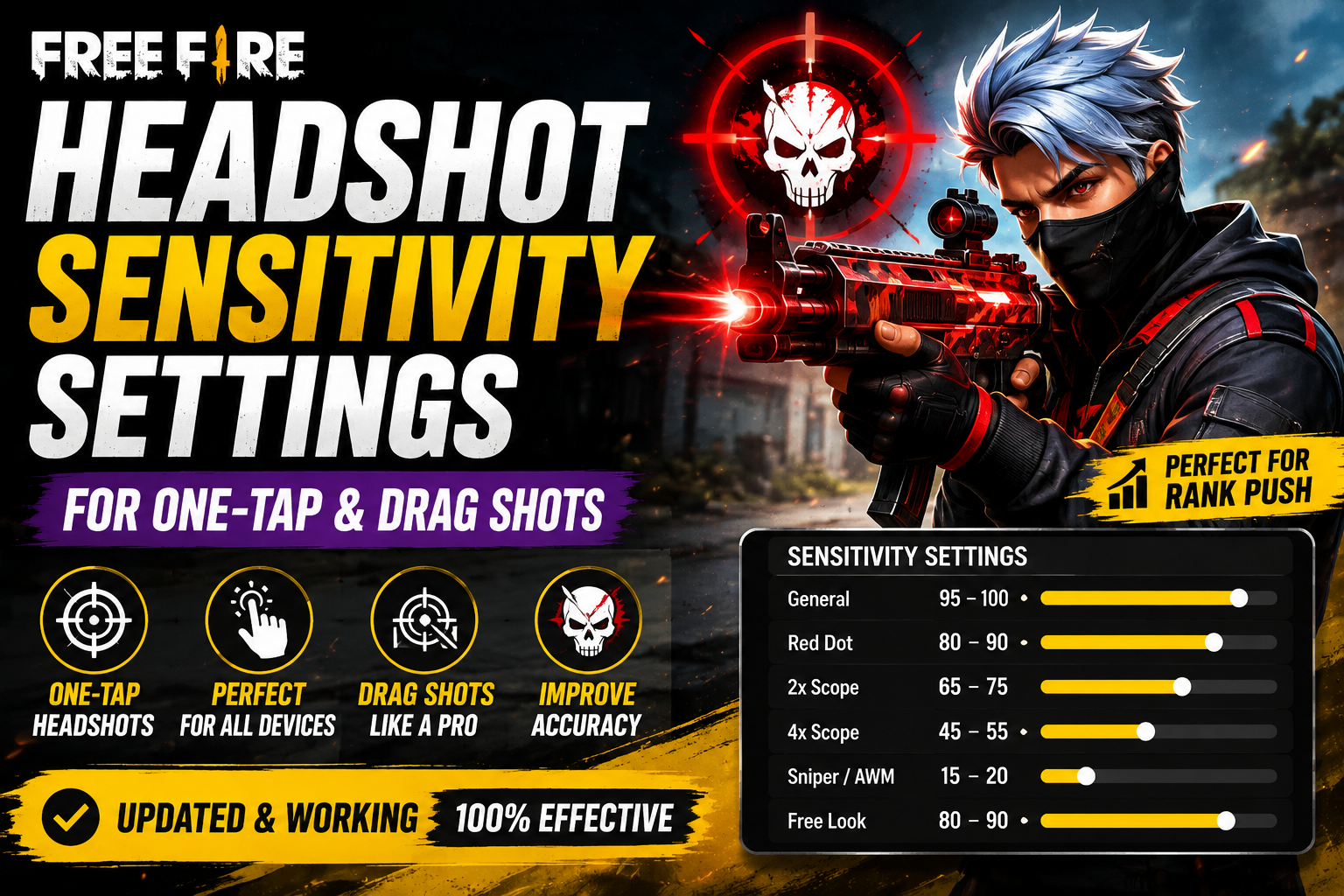
Ask five skilled Free Fire players for their sensitivity settings and you'll get five different answers — yet each one swears by their own numbers. That's not a contradiction. Free Fire headshot sensitivity depends on your device, your screen, your grip, and how you personally drag your aim, which is exactly why copying someone else's exact settings often feels wrong the moment you load into a match. This guide focuses specifically on what actually improves headshot consistency, and how to adjust your sensitivity based on what you're feeling in-game rather than guessing.
n
Quick Headshot Sensitivity Settings
n
Use this as a starting point to build from — not a fixed answer. Test each value in Training mode before trusting it in ranked matches.
n
| SettingStarting Value | |
|---|---|
| General | 95–100 |
| Red Dot | 80–90 |
| 2x Scope | 65–75 |
| 4x Scope | 45–55 |
| Sniper/AWM | 15–20 |
| Free Look | 80–90 |
n
These values lean slightly higher on General and Red Dot compared to a general-purpose setup, since headshot consistency benefits from quicker, more responsive tracking at close-to-mid range. That said, no configuration on this page is official or guaranteed — your ideal numbers depend on the factors covered below.
n
For the broader settings guide, see Free Fire Sensitivity Settings.
n
How Sensitivity Affects Headshots
n
To adjust sensitivity intelligently, it helps to understand what it's actually doing:
n
- Camera movement — sensitivity determines how far your view rotates for a given finger movement. Too high, and small corrections become imprecise; too low, and you can't react fast enough to a moving target.
- Crosshair control — headshots require holding your crosshair steady near head height, which gets harder at sensitivities you can't fully control.
- Drag distance — the physical distance your finger needs to travel to counter recoil and track a target changes with sensitivity; higher sensitivity means shorter drags for the same effect.
- Overshooting — this is the most common headshot-sensitivity problem: your crosshair swings past the enemy's head because the sensitivity is higher than your current control allows.
- Slow response — the opposite problem: sensitivity too low means you're still adjusting aim as the enemy moves out of your crosshair.
- Close-range vs. long-range control — close fights reward fast, responsive sensitivity; long-range fights reward smaller, more controlled movement, which is why scope sensitivities are usually set lower than General.
n
Best General Sensitivity for Headshots
n
General sensitivity governs your base camera movement — how quickly you turn to face a target before you're even aiming.
n
A starting range of 95–100 gives most players enough responsiveness for close-quarters headshots without being unmanageable. From there:
n
- If your crosshair frequently overshoots past an enemy's head when you turn toward them, lower General in small steps (5 points at a time) until turning feels more controllable.
- If you feel like you're always a half-second late reacting to enemies appearing on screen, raise it gradually instead.
n
Small, incremental changes matter here — jumping from 80 to 100 in one step will likely feel unfamiliar and hurt your accuracy temporarily, even if 100 ends up being right for you long-term.
n
Best Red Dot Sensitivity for Headshots
n
Red Dot sensitivity governs fine aim adjustment once you're already tracking a target — this is where most actual headshot precision happens.
n
A starting range of 80–90 balances quick correction with control. Consider:
n
- Close-range aim benefits from a Red Dot sensitivity close to your General setting, since fights happen and end quickly.
- Small corrections — the tiny adjustments as an enemy strafes — are where a Red Dot sensitivity that's too high causes visible overshooting.
- Drag shots rely heavily on Red Dot sensitivity feeling predictable, since you're actively countering recoil while tracking movement at the same time.
n
If your shots consistently land slightly above or beside the head rather than on it, that's often a sign your Red Dot sensitivity needs to come down slightly rather than a sign of bad aim.
n
One-Tap Headshot Settings
n
One-tap headshots get treated like a settings trick online, but they're really the result of several things working together:
n
Crosshair placement — keeping your crosshair at approximate head height as you move and peek, so you're not adjusting vertically at the moment you need to fire.
n
Short, controlled movement — one-taps usually come from a small, precise correction rather than a large sweeping drag, which is why overly high sensitivity can actually hurt one-tap consistency by making small movements harder to control.
n
Fire timing — firing the instant your crosshair crosses the target, rather than trying to "settle" on it, since hesitation gives the enemy time to move or shoot first.
n
Sensitivity — supports the above by making your small corrections predictable, but it's the supporting factor, not the main one.
n
Practice — genuinely the biggest factor. Repeated reps in Training mode, at a sensitivity you understand well, build the muscle memory that actual matches reward.
n
It's worth being direct: no sensitivity setting creates one-taps by itself. Players who land them consistently have usually practiced the same crosshair placement and firing rhythm hundreds of times at a sensitivity they know intimately.
n
Drag Shot Sensitivity
n
Drag shots — the controlled upward and lateral movement used to counter recoil while spraying — depend heavily on sensitivity, but in a way that's easy to misjudge.
n
- Short drag works well at higher sensitivity, useful for close-range spray control where you need fast, small corrections.
- Long drag suits slightly lower sensitivity, giving you more room to make a smooth, sustained movement without overcorrecting.
- Close-range drag generally benefits from quicker, punchier sensitivity since fights are decided in a second or two.
- Medium-range drag benefits from a steadier hand and slightly lower sensitivity, since precision matters more than speed at this distance.
- Excessive sensitivity is the most common reason drag shots miss — the crosshair flies past the target's head before you can react, especially during a sustained spray where small errors compound quickly.
n
If your drag shots consistently overshoot, try lowering Red Dot sensitivity by small increments and practicing the same drag motion repeatedly until it becomes consistent, rather than immediately switching to a very different sensitivity.
n
Best Sensitivity for Different Weapons
n
Sensitivity doesn't need a completely separate configuration for every weapon, but how a given setting *feels* does shift slightly by weapon type:
n
- SMGs — fast, close-range weapons that reward quick reaction, so a slightly higher General/Red Dot sensitivity tends to feel natural here.
- Shotguns — close-range and forgiving on precision, so sensitivity matters less than positioning and timing with this weapon type.
- Assault Rifles — the most balanced case; your baseline General and Red Dot settings should work reasonably well without weapon-specific tweaking.
- Snipers — the biggest exception, since even small movements are heavily magnified at high zoom, which is exactly why sniper scope sensitivity should be set noticeably lower than everything else.
n
There's no need to build entirely different sensitivity profiles for every weapon — the scope-based settings (2x, 4x, sniper) already account for most of the difference in feel.
n
Headshot Sensitivity for Low-End Phones
n
As with general sensitivity setup, it's worth repeating clearly: RAM alone does not determine your sensitivity needs. FPS stability and touch response usually matter more for how consistent your aim feels.
n
2GB RAM: Frame rate drops are common here, and unstable FPS makes any sensitivity setting feel inconsistent from one moment to the next. Confirm your FPS holds steady in Training before trusting your sensitivity — no amount of adjustment fixes aim that's fighting frame drops.
n
3GB RAM: A bit more consistent, but still worth testing performance in a demanding scenario (multiple enemies, effects) before fine-tuning headshot-specific settings.
n
4GB RAM: Generally stable enough that sensitivity tuning becomes more reliable — this is a reasonable tier to start fine-tuning headshot sensitivity with confidence that FPS isn't the hidden variable.
n
6GB+ RAM: RAM is unlikely to be limiting your aim here. If headshot consistency still feels off, look at touch response, screen protector condition, or HUD layout before assuming more power would help.
n
DPI and Headshot Sensitivity
n
DPI affects how your screen interprets finger movement at a system level, separate from Free Fire's in-game sensitivity sliders.
n
- What DPI means: it influences how far on-screen movement occurs for a given physical finger movement, which can subtly change how your existing sensitivity feels without you changing any in-game setting.
- Why DPI changes shift overall feel: raising or lowering DPI effectively multiplies or divides the effect of your current sensitivity settings, so the same numbers can feel completely different after a DPI change.
- Higher DPI is not automatically better for headshots — pushing it too high can make fine corrections harder, similar to raising sensitivity too much.
- Test DPI separately from sensitivity. Change one, play several matches, then decide if it's an improvement before touching the other — changing both at once makes it impossible to know what actually helped.
n
n
No specific DPI value guarantees better headshots — it's a variable that shifts feel, not a shortcut to accuracy.
n
Fire Button Size for Headshots
n
Your fire button size and placement directly affect how cleanly you can drag while shooting, which matters for headshot consistency.
n
- Button size — a larger fire button gives more room for a smooth drag motion, which many players find helps with consistent recoil control during sustained fights.
- Placement — should sit exactly where your thumb naturally rests, since reaching or stretching for it interrupts your aim at the worst possible moment.
- Drag space — if you use longer drags for recoil control, leaving extra empty space around the fire button prevents your thumb from sliding onto other buttons mid-fight.
- Screen size — smaller phones often benefit from a slightly smaller, more centrally placed fire button, while larger screens give more flexibility for button placement experiments.
- Finger/thumb movement — test whether your natural drag motion is straight or slightly curved, and adjust button position to match rather than fighting your own habit.
n
There's no single perfect fire button size — test two or three options in Training mode and note which one keeps your drag shots landing consistently.
n
HUD Settings for Better Headshot Control
n
Your HUD layout works alongside sensitivity, not separately from it — a good sensitivity setup can still feel clumsy with a poorly arranged HUD.
n
- Fire button placement should allow uninterrupted upward drag without your thumb needing to reposition mid-shot.
- Aim button should sit close enough to your fire button that transitioning from hip-fire to aimed shots doesn't cost you reaction time.
- Movement controls need enough separation from your aiming hand to prevent accidental drags during fast direction changes.
- Scope controls should be reachable without shifting your aiming hand's base position.
- Finger travel — minimizing the distance your fingers need to move between actions reduces small delays that add up during fast headshot exchanges.
- Drag movement space around your fire button, as mentioned above, directly supports consistent recoil control.
n
n
How to Test Your Headshot Sensitivity
n
A simple, repeatable process beats guesswork:
n
- Start with the baseline from the table above.
- Enter Training mode before testing anything in a real match.
- Test General sensitivity first — practice turning toward multiple bot targets.
- Test Red Dot sensitivity next, focusing specifically on small corrections at head height.
- Test drag shots using your close-range weapon of choice, tracking a moving bot if possible.
- Change only one setting at a time — this is the single most important rule, since combined changes make it impossible to know what helped.
- Test across several matches, not just one, since a single good or bad game doesn't confirm anything.
- Keep the setting that feels consistent across different situations, not just the one that felt fastest in a single moment.
n
Headshot Sensitivity Troubleshooting
n
| ProblemWhat to Try | |
|---|---|
| Crosshair flies over the head | Lower General or Red Dot sensitivity in small steps |
| Aim feels too slow to react | Raise General sensitivity gradually |
| Drag feels inconsistent | Practice the same drag motion repeatedly at your current setting before changing numbers |
| Long-range aim shakes or overshoots | Lower your scope (2x/4x/sniper) sensitivity specifically |
| Aim becomes inconsistent during intense fights | Check FPS stability rather than adjusting sensitivity |
| Sensitivity feels different after changing phone | Expect this — retest from baseline rather than assuming your old numbers will transfer directly |
n
Common Headshot Sensitivity Mistakes
n
- Copying pro-player settings blindly without accounting for differences in device, screen size, and hand size.
- Changing settings constantly after a few rough matches, which prevents muscle memory from ever forming.
- Using extreme numbers because they looked impressive in a clip, rather than because they were actually tested.
- Changing DPI and sensitivity together, making it impossible to know which change caused a difference in feel.
- Ignoring FPS drops while chasing a "perfect" sensitivity — unstable performance will undermine even a well-tuned setup.
- Assuming sensitivity guarantees headshots — positioning, timing, and repetition matter just as much, often more.
n
FAQ
n
What is the best Free Fire sensitivity for headshots?
n
There's no universal number, but a General sensitivity around 95–100 with Red Dot around 80–90 is a reasonable starting point for most players. Fine-tune from there based on whether you're overshooting or reacting too slowly.
n
What sensitivity is best for one-tap?
n
One-taps depend more on crosshair placement and firing timing than a specific sensitivity value. A moderate, well-practiced sensitivity you can control precisely tends to outperform an aggressively high one.
n
Is higher sensitivity better for headshots?
n
Not inherently. Higher sensitivity can help you react faster, but it also increases the risk of overshooting your target. The right sensitivity is the one you can control consistently, not simply the highest one you can tolerate.
n
What is the best Red Dot sensitivity?
n
A starting range of 80–90 works for many players, since it balances quick tracking with fine control. Lower it if you notice your shots landing consistently above or beside the intended target.
n
Does DPI improve headshots?
n
DPI changes how your sensitivity feels, but it doesn't directly improve accuracy or guarantee better headshots. It should be tested separately from your in-game sensitivity to understand its actual effect.
n
Why does my sensitivity feel different on another phone?
n
Differences in screen size, touch sampling rate, FPS stability, and DPI all influence how the same sensitivity number translates into actual movement, which is why identical settings rarely feel identical across devices.
n
How long should I test new sensitivity?
n
Give any change at least several matches, ideally across different situations (close-range fights, long-range engagements), before deciding whether it's actually an improvement. Judging based on a single match is unreliable.
n
Final Verdict
n
There's no shortcut number that unlocks consistent free fire headshot sensitivity — the baseline settings in this guide are a starting point, not a finished answer. Test them in Training mode, adjust one setting at a time, and pay attention to whether you're overshooting or reacting too slowly rather than chasing numbers you saw someone else use. Your device's FPS stability, screen size, and touch response all shape how any sensitivity feels, so expect some retuning if you switch phones. Most importantly, treat sensitivity as one part of a bigger picture that includes crosshair discipline, timing, and practice — not a guaranteed trick for landing headshots.