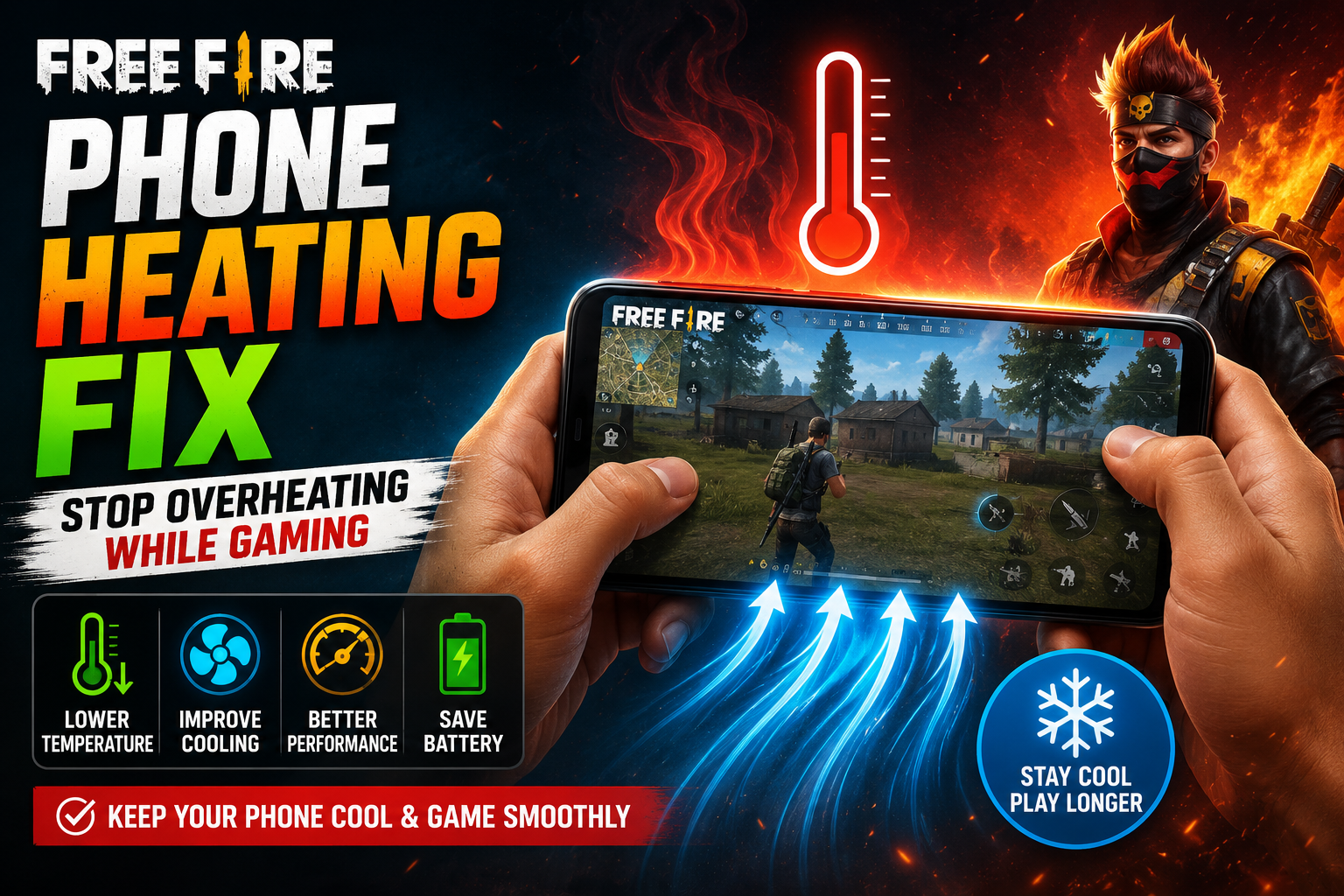
Free Fire is a demanding game, and it’s common for a phone to feel warm after a long session. Some warmth is a normal side effect of intense gaming — the processor, graphics chip, screen, and network radio are all working hard at once. But there’s a difference between ordinary gaming warmth and heat that feels excessive, sudden, or unusual for your device.
This guide explains what actually causes a phone to heat up while playing Free Fire, how to tell normal warmth from a real problem, and practical, safe ways to reduce unnecessary heat. It won’t promise a specific temperature drop or guaranteed results — thermal behavior depends heavily on your exact phone model, chipset, settings, and environment. What it will give you is a clear, safe framework for managing heat during gaming.
Normal gaming warmth usually means the back of the phone or the area around the camera module feels warm to the touch during or right after a session, and it cools down once you stop playing.
Excessive or abnormal heating is when the phone becomes uncomfortably hot to hold, stays hot well after you’ve stopped playing, heats up during light or idle use, or is accompanied by sudden performance drops, charging issues, or physical changes to the device.
—
Quick Answer: How to Reduce Free Fire Phone Heating
If you just want the short version, start here:
1. Lower unnecessary graphics workload in the in-game settings.
2. Use a reasonable FPS setting instead of the highest available option.
3. Reduce excessive screen brightness.
4. Use a reasonable refresh rate rather than always maxing it out.
5. Avoid direct sunlight and hot environments while playing.
6. Remove a thick case temporarily if it seems to trap heat.
7. Close genuinely resource-heavy background activity (large downloads, video uploads, syncing).
8. Avoid demanding gaming sessions while charging if the phone becomes excessively hot.
9. Keep ventilation around the device — don’t play with it buried under a pillow or blanket.
10. Take breaks if the phone becomes unusually hot.
Not every step will make the same difference on every device. A flagship phone with a large vapor chamber will respond differently than a budget phone with a compact chassis. Treat this as a starting checklist, not a guaranteed fix.
—
Why Does Free Fire Make My Phone Hot?
Gaming asks several components to work simultaneously, and each one generates some heat as a byproduct of doing work:
- CPU — handles game logic, physics, and general processing.
- GPU — renders graphics, effects, and animations.
- Display — stays on continuously at a fixed brightness and refresh rate.
- Network modem — maintains a steady connection for real-time multiplayer data.
- Speakers and vibration motor — add a small additional load during active gameplay.
- Background processes — anything else running on the phone competes for the same shared resources.
None of these components are usually “the” cause on their own. Heat during gaming is typically the combined effect of several systems working at once, over a sustained period, in a relatively small enclosed device.
—
Is It Normal for a Phone to Get Warm While Playing Free Fire?
Some warmth is expected. A few things influence how warm is “normal” for your specific situation:
- Demanding games naturally create more sustained workload than light apps, so some warmth during play is expected.
- Ambient temperature matters — a hot room or direct sun exposure will make any device run warmer than it would in a cool, shaded space.
- Charging while gaming adds heat from the charging circuit on top of gaming workload.
- Phone cases, especially thick or insulated ones, can trap heat that would otherwise dissipate.
- Sustained, excessive heat that doesn’t ease up after you stop playing is different from the ordinary warmth that fades once the workload ends.
There’s no single universal temperature number that applies to every phone — a value that’s normal for one chipset and chassis design could be a warning sign on another. Instead of chasing a specific number, focus on whether the heat feels unusual for your own device and whether it resolves once gaming stops.
—
What Causes Free Fire Phone Heating?
| Cause | Why It Can Increase Heat | Practical Response |
|---|---|---|
| High graphics workload | GPU works harder to render effects and detail | Lower graphics quality if heat feels excessive |
| High FPS setting | More frames rendered per second increases processing load | Use a stable, reasonable FPS instead of the maximum |
| High refresh rate | Display refreshes more often, increasing power draw | Test a lower refresh rate if heat is a concern |
| High brightness | Display consumes more power at higher brightness | Use comfortable, not maximum, brightness |
| Charging while gaming | Charging circuit and gaming workload add heat together | Avoid charging during long sessions if it runs hot |
| Hot environment | Ambient heat reduces the phone’s ability to dissipate its own heat | Play in a cooler, shaded, well-ventilated space |
| Weak or unstable network | Modem works harder to maintain a stable connection | Use a more stable connection where possible |
| Background apps | Extra processes compete for CPU and add workload | Close genuinely active background tasks |
| Thick phone case | Insulates the device and slows heat dissipation | Remove the case temporarily to compare |
| Long uninterrupted sessions | Heat accumulates over time without a chance to dissipate | Take periodic breaks during extended play |
—
CPU and GPU Workload During Free Fire
The CPU manages game logic — player input, match data, physics calculations, and background app coordination. The GPU is responsible for rendering the visuals you see: character models, effects, shadows, and the overall scene.
During active gameplay, both components are working continuously rather than in short bursts, which increases power consumption and, as a result, heat output. How much each one contributes depends on the phone’s chipset design, cooling system, and the specific settings you’re using. On some devices the GPU may be the larger contributor because of graphics-heavy settings; on others, background CPU load from other apps could play a bigger role. There’s no universal rule that one is always hotter than the other — it varies by device and by what else is running at the time.
—
Does Higher FPS Make a Phone Hotter?
In general terms, yes — rendering more frames per second increases the workload placed on the device, which can increase heat output. That said, the actual effect varies significantly by phone model, chipset efficiency, and how the game is configured overall.
For some players, dropping from the highest available FPS setting to a moderate, stable one can ease workload without a noticeable difference in gameplay feel. For others with more powerful hardware, the difference may be minimal. If you’re looking to fine-tune your FPS setup for smoother performance rather than heat specifically, see .
There’s no reliable way to promise an exact temperature change from adjusting FPS — it depends on too many device-specific factors to state as a fixed number.
—
Do Graphics Settings Cause Phone Heating?
Graphics settings directly affect how much work the GPU has to do each frame. Higher-detail settings generally mean more rendering work, which can contribute to heat buildup during longer sessions.
| Graphics Setting | Possible Thermal Effect | Practical Approach |
|---|---|---|
| Graphics quality (Low/Medium/High/Ultra) | Higher quality increases GPU workload | Choose a setting that balances visuals and comfort |
| Shadows / advanced effects (where available) | Additional rendering layers add GPU load | Disable if not essential to your play style |
| FPS setting | Higher FPS increases overall rendering frequency | Use a setting appropriate to your device |
| Resolution-related options (where applicable) | Higher resolution increases pixel-processing workload | Lower slightly if heat or performance is a concern |
Not every version or region of Free Fire offers identical settings menus, so the exact options available to you may differ slightly from another player’s.
—
Does Screen Brightness Make the Phone Hot?
Yes, to some extent. The display is one of the more power-hungry components in a phone, and running it at high brightness for a long gaming session adds to the overall power draw and resulting heat.
Practical adjustments:
- Use a brightness level that’s comfortable to see clearly, rather than defaulting to maximum.
- Consider adaptive brightness if your device’s implementation works well for you.
- Avoid playing in direct sunlight, which often tempts players to push brightness higher than necessary.
There’s no need to dim the screen to an uncomfortable or unsafe level — the goal is avoiding unnecessary maximum brightness, not sacrificing visibility.
—
Does 90Hz or 120Hz Make a Phone Hotter?
A higher refresh rate means the display updates more frequently, which can increase power consumption and, in turn, heat — but the actual effect varies a lot between devices. Some phones handle 120Hz gaming with minimal added heat, while others show a more noticeable difference.
Higher refresh rates can genuinely improve smoothness and responsiveness, so it’s a trade-off rather than a simple “always avoid it” situation. If heat feels like a real problem during long sessions, testing a lower refresh rate is a reasonable experiment — but it won’t necessarily be the deciding factor on every phone.
—
Gaming While Charging: Why Does It Get Hot?
Charging generates some heat on its own, as current flows into the battery. Gaming adds a separate, simultaneous workload from the CPU, GPU, and display. When both happen at once, the combined heat output is often higher than either activity alone.
A few practical points:
- How much extra heat this produces varies by phone, battery condition, and charger type.
- Avoid covering the phone while it’s charging and gaming — keep it on a hard, open surface rather than a bed or cushion.
- Avoid charging and gaming in an already warm environment.
- Follow your phone manufacturer’s charging guidance, including using a compatible charger.
Gaming while charging doesn’t automatically damage every phone, but if the device becomes unusually hot, it’s best to stop the session, unplug it, and let it cool down naturally before resuming.
—
Can a Phone Case Cause Overheating?
Thick, heavily padded, or poorly ventilated cases can interfere with a phone’s ability to dissipate heat, effectively insulating it during a demanding session.
Practical steps:
- If your phone runs noticeably hot during gaming, try removing the case temporarily to see if it changes anything.
- Compare gaming sessions with and without the case to judge the difference for your specific setup.
- Avoid playing on insulating surfaces like beds, cushions, or thick fabric, which can trap heat similarly to a case.
- Keep some airflow around the device where possible.
Not every case causes overheating — thin, well-ventilated cases usually have minimal impact. It depends on the case’s material and design.
—
Can Weak Network Signal Make a Phone Hot?
It’s possible, though it’s a secondary factor rather than the primary cause. When a phone struggles to maintain a stable connection — due to weak cellular signal, unstable mobile data, frequent switching between networks, or poor Wi-Fi conditions — the modem has to work harder to keep the connection alive, which can add a small amount of extra heat.
This is a different issue from network performance problems like lag or dropped packets. If you’re dealing with connection-quality issues rather than heat specifically, these guides cover that separately: and .
—
Background Apps and Phone Heating
Background apps that are genuinely active — not just present in your recent-apps list — can add real workload to the device. Common examples include:
- Large file downloads
- Cloud photo or video synchronization
- Video uploads
- App updates running in the background
- Continuous location tracking
- Other resource-heavy apps left open
You don’t need to force-close every app before playing. Most apps sit idle in the background without using meaningful resources. The apps worth paying attention to are the ones actively doing something — downloading, uploading, syncing, or recording — while you’re gaming.
—
Does Battery Saver Help Phone Heating?
Battery Saver mode can help in some situations, but its effect on heating is inconsistent and depends heavily on how your specific phone brand implements it.
What it may do:
- Restrict background app activity, which can reduce some workload.
- Change performance behavior, sometimes limiting CPU or GPU speed.
- Adjust network behavior in ways that vary by manufacturer.
- Potentially affect your gaming experience, including smoothness, depending on how aggressively it throttles performance.
Battery Saver isn’t a guaranteed fix for heating — on some phones it barely changes gaming behavior, while on others it noticeably reduces performance to save power. It’s worth testing on your own device rather than assuming it will help.
It’s also worth noting that heating and battery drain often overlap but aren’t the same problem. For battery-specific concerns, see .
—
Phone Cooler for Free Fire: Does It Actually Help?
External phone coolers are designed to assist with heat dissipation, but their real-world effectiveness varies by design and use case.
- Active coolers (with a fan) can help move warm air away from the device, particularly around the chipset area.
- Passive coolers (heat sinks or cooling plates without a fan) offer more modest assistance and rely on material conduction.
- Some coolers need external power, which adds a cable and a bit of extra setup during play.
- A cooler clipped over a case may trap heat instead of releasing it if not positioned correctly — case interference is a real consideration.
- Room temperature still matters; a cooler works within the constraints of the surrounding environment, not independently of it.
- Placement matters — a cooler positioned over the wrong part of the phone may have limited effect.
- In humid conditions, some cooling accessories can create condensation, which is worth being cautious about.
Different cooler designs perform differently, and no cooler can guarantee a specific temperature reduction. For a closer look at cooling accessories, see .
—
Low-End Phones and Free Fire Heating
Lower-end devices can experience different thermal behavior for several structural reasons:
- Less efficient hardware may need to work harder to handle the same workload.
- Smaller or simpler cooling designs (less metal, no vapor chamber) dissipate heat less effectively.
- Smaller batteries can heat up more noticeably under sustained load.
- Lower-cost displays and chipsets aren’t always optimized the same way as flagship components.
Reducing unnecessary workload — lower graphics, moderate FPS, reasonable brightness — can sometimes help both heat and overall performance on these devices, since the two issues are often connected on hardware with limited headroom. For settings tailored to this kind of device, see .
—
Long Gaming Sessions and Heat
Heat tends to accumulate the longer a demanding workload continues, since the device has less opportunity to cool down between periods of activity.
Practical advice for longer sessions:
- Take breaks when the phone starts to feel unusually warm.
- Avoid playing in direct sunlight or hot rooms during extended sessions.
- Keep the phone ventilated rather than resting it on soft, insulating surfaces.
- Avoid covering the device with a case, cloth, or your hand for long stretches.
- Pay attention to unusual behavior, like sudden slowdowns or app instability.
There’s no single “safe number of minutes” that applies universally — session tolerance depends on the device, the environment, and the settings being used.
—
How to Check Whether Your Phone Is Actually Overheating
1. Check whether the phone feels unusually hot compared with how it normally feels during gaming.
2. Check your phone’s built-in battery or device information menu, if your device offers one.
3. Check whether performance suddenly drops during or after heavy heat buildup.
4. Check whether charging slows down or pauses unexpectedly.
5. Check whether other apps become unstable or crash more than usual.
6. Compare how the phone behaves in a cooler environment versus a warm one.
7. Check whether heating happens even outside of gaming, which points to a broader issue.
Exact menu names and locations vary by Android manufacturer and by iOS version, so there isn’t one universal set of steps that applies to every phone.
—
Thermal Throttling and FPS Drops
When a phone gets too hot, many chipsets automatically reduce performance to protect internal components — this is called thermal throttling. It’s a built-in safety behavior, not a malfunction.
Thermal throttling can cause FPS to drop or become inconsistent during a session. However, FPS drops aren’t always caused by heat — they can also stem from background processes, network issues, or general device load unrelated to temperature. If you’re chasing smoother FPS more broadly, see .
—
Phone Heating vs Battery Drain
Heating refers to the physical temperature of the device. Battery drain refers to how quickly the battery’s charge is consumed.
These two issues can happen together, since both are often related to overall device workload — a demanding session can both generate heat and consume battery quickly. But one doesn’t automatically prove the other is the root cause; a phone can drain quickly without heating much, or heat up without draining unusually fast. For battery-specific troubleshooting, see .
—
Phone Heating vs Lag
Device heat and network lag are separate issues that sometimes get confused. Heat is a hardware/thermal condition that can affect performance through throttling. Lag is typically a network or connectivity issue, unrelated to how hot the device is.
Don’t assume that stutters or slowdowns are automatically heat-related — check both angles. For network-side troubleshooting, see and .
—
Phone Heating Troubleshooting Decision Table
| Symptom | Likely Area | First Step |
|---|---|---|
| Phone gets warm only during gaming | Normal gaming workload | Monitor whether it cools down after play |
| Phone becomes extremely hot while gaming | Combined workload or environment | Lower graphics/FPS, check environment and case |
| Phone heats mainly while charging | Charging + gaming combined load | Avoid gaming while charging if it runs hot |
| Phone heats even when idle | Possible background or system issue | Check background activity and recent updates |
| Heating happens mostly on mobile data | Network/modem activity | Test on stable Wi-Fi to compare |
| Heating happens after enabling high FPS | Increased rendering workload | Try a lower, more stable FPS setting |
| Heating started after a software update | Possible update-related behavior change | Check for further updates or manufacturer support |
| Heating comes with sudden FPS drops | Possible thermal throttling | Let the device cool, reduce workload |
| Heating occurs with battery swelling or physical damage | Physical battery issue | Stop use/charging immediately and seek professional/manufacturer help |
—
Free Fire Phone Heating Checklist
☐ Avoid direct sunlight
☐ Use reasonable graphics
☐ Use a reasonable FPS setting
☐ Avoid unnecessary maximum brightness
☐ Test a lower refresh rate if needed
☐ Check background activity
☐ Keep the phone ventilated
☐ Test without a thick case
☐ Avoid excessive heat while charging
☐ Use stable connectivity
☐ Take breaks during long sessions
☐ Investigate unusual heating outside gaming
—
When Is Phone Heating a Warning Sign?
Most gaming-related warmth is harmless, but certain signs are worth paying closer attention to:
- Unusually extreme heat that goes well beyond your device’s normal gaming warmth.
- Repeated overheating during light, non-demanding use.
- Heating that occurs while the phone is idle, not actively being used.
- Sudden abnormal battery behavior, such as rapid unexpected drain or erratic percentage jumps.
- Any visible battery swelling or deformation of the phone’s back or frame.
- Signs of physical battery damage.
- Charging abnormalities, like refusal to charge or charging that stops unexpectedly.
- Repeated unexpected shutdowns.
- Persistent performance problems that don’t improve even after cooling down.
None of these should be diagnosed remotely — they’re signals to have the device professionally assessed. If you notice battery swelling, leaking, physical damage, or genuinely abnormal heat, stop using and stop charging the phone, and contact the manufacturer or a qualified repair service rather than continuing to use it.
—
FAQ
Why does my phone get hot when playing Free Fire?
Gaming places simultaneous demand on the CPU, GPU, display, and network modem, and this combined workload generates heat as a natural byproduct.
Is it normal for a phone to get warm while gaming?
Some warmth during demanding gameplay is generally normal. It becomes a concern when the heat feels excessive, doesn’t ease off after you stop playing, or occurs during light or idle use.
Does higher FPS make Free Fire hotter?
Higher FPS generally increases rendering workload, which can contribute to more heat, but the exact effect depends on your specific phone and settings.
Do graphics settings affect phone temperature?
Yes. Higher graphics quality and additional visual effects increase GPU workload, which can add to overall heat during a session.
Does 120Hz make a phone hotter?
It can increase power consumption compared with a lower refresh rate, but the actual impact varies significantly between devices.
Is it safe to play Free Fire while charging?
It’s common, but charging and gaming together can generate more heat than either alone. If the phone becomes excessively hot, it’s better to pause gaming until charging is finished.
Can a phone case cause overheating?
Thick or poorly ventilated cases can trap heat and slow dissipation. Testing without the case is a simple way to see if it makes a difference on your device.
Can weak network signal make a phone hotter?
It’s possible, since maintaining a connection under poor signal conditions can increase modem activity, though this is usually a secondary factor rather than the main cause.
Can a phone cooler reduce gaming heat?
External coolers can assist with heat dissipation, particularly active fan-based models, but results vary by cooler design, placement, and environment — no cooler guarantees a specific reduction.
Why does my phone heat up and then FPS drops?
This is often related to thermal throttling, where the device automatically reduces performance to protect its components once it gets too hot.
Why does my phone get hot even when I am not playing?
This can point to a background process, a system issue, or in some cases a hardware concern, and is worth investigating separately from gaming-related heat.
When should I stop using a phone because of heat?
Stop immediately if you notice extreme heat, battery swelling, physical damage, leaking, charging abnormalities, or repeated unexpected shutdowns, and seek manufacturer or professional support.
—
Final Verdict
Some warmth while playing Free Fire is a normal part of demanding mobile gaming — it doesn’t necessarily mean something is wrong. What matters is recognizing when heat crosses from ordinary gaming warmth into something excessive or abnormal.
Practical steps like reducing unnecessary graphics workload, choosing a reasonable FPS and refresh rate, managing brightness, avoiding hot environments, being mindful of charging while gaming, and keeping the device ventilated can all help manage heat — though results will vary from phone to phone. Investigate heating that happens outside of gaming, and never ignore signs like battery swelling, physical damage, or genuinely abnormal behavior. In those cases, stop using and charging the device and reach out to the manufacturer or a qualified repair service rather than trying to resolve it yourself.